
Services
SMS, backup and WhatsApp messaging
Integrations and operational services that run alongside the software we deliver.
SMS
As per TRAI rules, it is mandatory to get registered in DLT Platform. Request you to please get registered below DLT URL yourself by API Integration of SMS into application or stand alone serivces.
DLT registration providors
Please Don’t Send Any SMS without Sender id and Approved Template From DLT
Online Backup
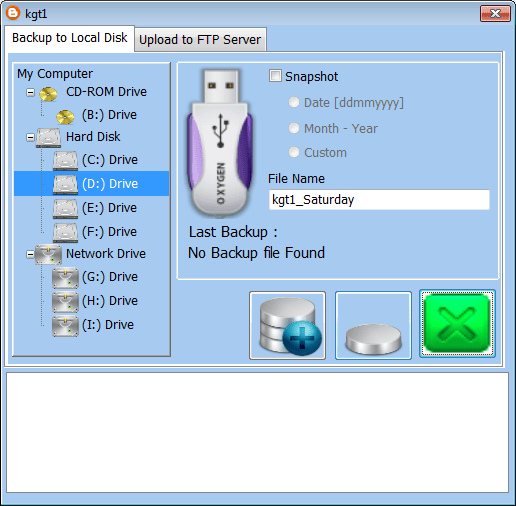

You can parked your backup on your website using FTP protocol. If you don’t have webstorage we will provide you storage at nominal charges. It compress your backup file and upload to website. On site this file get encrypted automatically so no one will able to read the backup files. How ever if you subscribed to backup facility you can upload all your previous year data no such restriction. Facility is for uploading Business Plus Plus backup software others files such as videos, audio or any other files are not allowed. You can check the rates here and to order please contact here
WA Messaging
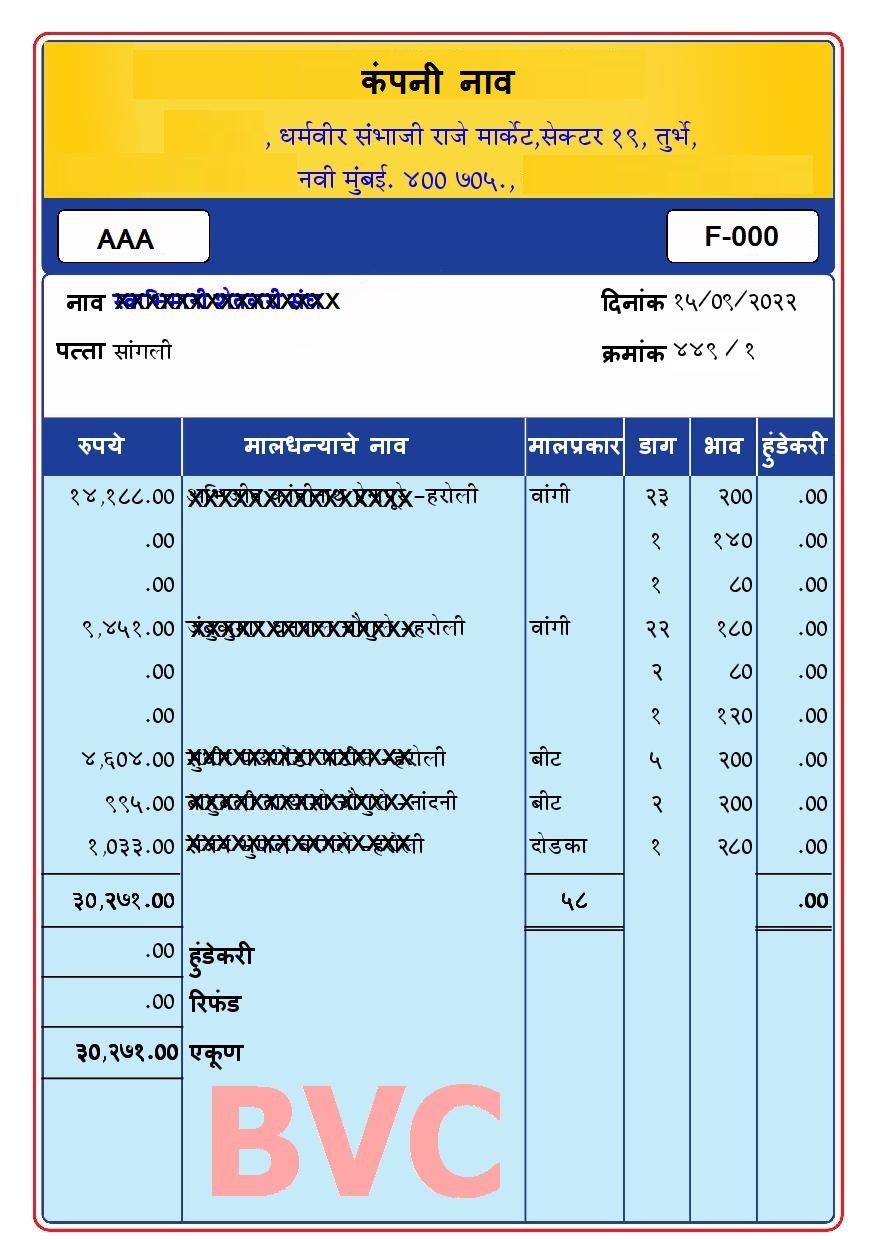
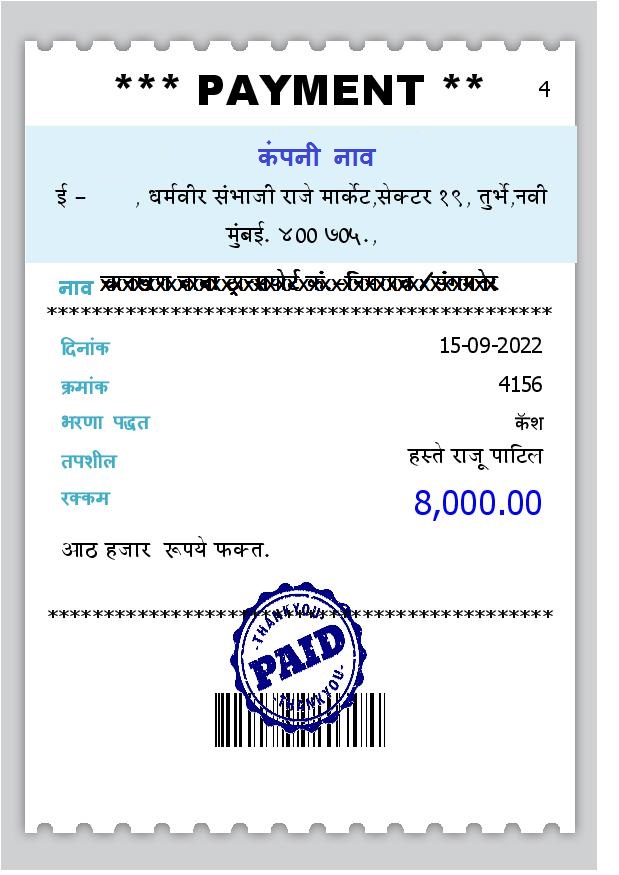
Reports Marathi




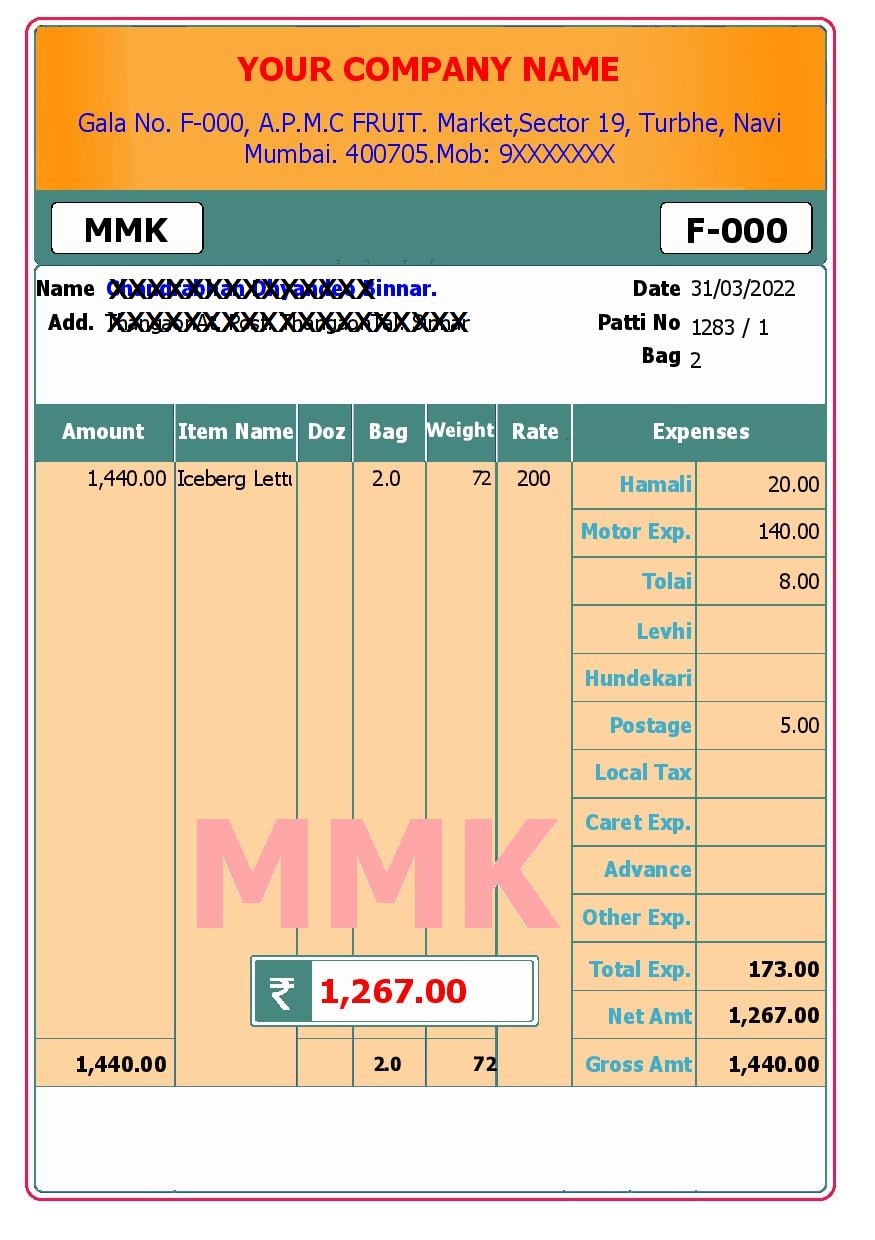
Reports English



Requirement
If you had SMS previously running please ignore this section. It must be already present on your computer.
- Instalation of SQLLite driver
- Database file X:\tss\data\sms.sqlite
How to setup ?
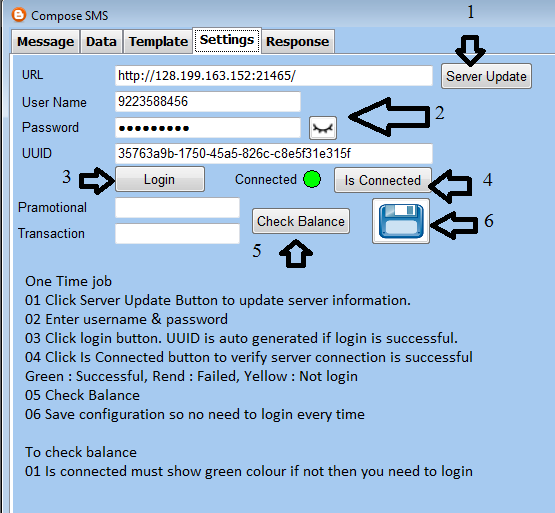
- Server : Utility / SMS / Settings follow images.
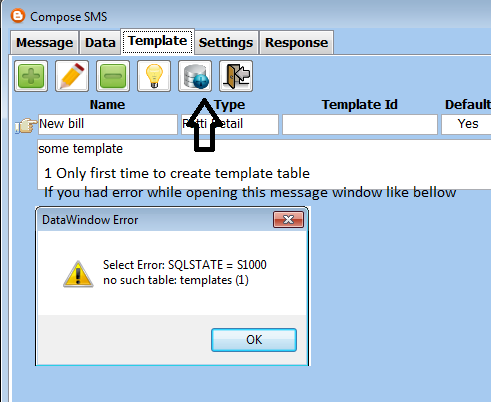
- Create Template Table : If you get error while opening message window, please follow images. Once complete please close the programe, login and go to message you should not get the error.
- Create Template : Click Add button and follow images instruction. Read more template variable
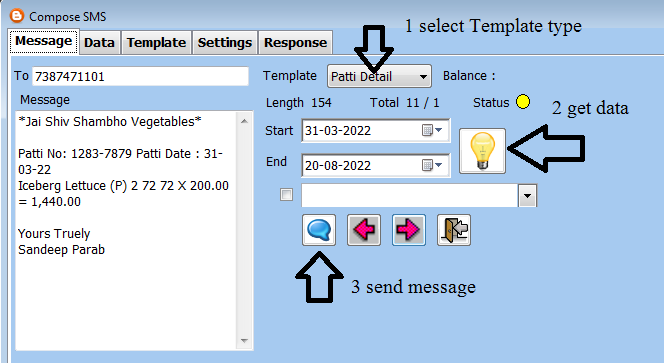
- Send Message : Follow the image

What is Templates ?
Its one time setup, follow the steps. Please follow the screen shot. Template has 3 parts they are as follows. Template approval is not required you can use once you save the template.
- Header : Optional part where you can use your company names.
- Body : Repeatative data such as item name, rates with there respective variables. Note use variables or text inside []. eg [{item} X {rate}].
- Footer : Optional part If you want to make your signature or festival greetings you can use this. eg. Yours Truely{nl}{nl}Contact Person{nl}9989XXXX88.
What is variables ?
Variables are placeholder which will be replaced with data or special characters while sending data.
- Bold : To make any text in bold you can surround with * character like *TSS* which will display like TSS.
- New Line : {nl} is used for new line, you can new line variable more than one times no limit.
- Don’t : No Enter key should be used inside your template instead use {nl} variable. Please make sure at the end of your template or in between there should not be any enter key.
- Use : Variables are optional its just a list of available use only those variables which you required to use.
Multiple Template
If you have more than one template make sure one should be default template in such case.
| Name | Type | Default | Example |
|---|---|---|---|
| Patti | Patti Detail | Yes | *Your Company Name*{nl}{nl}Patti No: {bill_no} Patti Date : {date}{nl}[{item} {bag} {gw} {nw} X {rate} = {amount}]{nl}{nl}]Yours Truely{nl}Contact Person{nl}9989XXXX88 |
| Patti Net | Patti Net | No | *Your Company Name*{nl}{nl}Patti No: {bill_no} Patti Date : {date} Net Amount : {amount}{nl}{nl}]Yours Truely{nl}Contact Person{nl}9989XXXX88 |
| Memo | Memo | Yes | *Your Company Name*{nl}{nl}Memo No: {bill_no} Memo Date : {date}{nl} Net : {amount} [{party} {amt}]{nl}{nl}]Yours Truely{nl}Contact Person{nl}9989XXXX88 |
| Memo Motor | Memo | No | *Your Company Name*{nl}{nl}Memo No: {bill_no} Memo Date : {date}{nl} Net : {amount} [{party} {amt} {motor}]{nl}{nl}]Yours Truely{nl}Contact Person{nl}9989XXXX88 |
| Memo Detail | Memo Detail | No | *Your Company Name*{nl}{nl}Memo No: {bill_no} Memo Date : {date}{nl} Net : {amount} [{party} {item} {nw} X {rate} = {amount}]{nl}{nl}]Yours Truely{nl}Contact Person{nl}9989XXXX88 |
| OS Customer | Outstanding | Yes | *Your Company Name*{nl}{nl}Your total outstanding as on date is Rs {amount}. Plesse pay immediately to avoid interest.{nl}{nl}]Yours Truely{nl}Contact Person{nl}9989XXXX88 |
| Receipt | Voucher | Yes | *Your Company Name*{nl}{nl}No: {bill_no} Date : {date} Rs. : {amount}{nl}Thank you for your co operation{nl}{nl}Yours Truely{nl}Contact Person{nl}9989XXXX88 |
| Payment | Voucher | Yes | *Your Company Name*{nl}{nl}No: {bill_no} Date : {date}{nl} Rs. : {amount}Kindly acknowledge the payment{nl}{nl}]Yours Truely{nl}Contact Person{nl}9989XXXX88 |
| Bank | General | Yes | *Your Company Name*{nl}{nl}Bank : XXX Bank{nl}Branch : Vashi APMC{nl}IFSC : XXXXX{nl}A/c Type : Current{nl}UPI ID : 9989XXXX88@ybl{nl}Mobile : 9989XXXX88, 9989XXXX88{nl}{nl}]Yours Truely{nl}Contact Person{nl}Gala No A-XX, APMC Veg Mkt |
| Greeting | General | No | *Your Company Name*{nl}{nl}आमच्या घरी गणपतीचे स्वागत करण्याच्या शुभ प्रसंगी, आम्ही तुम्हाला आणि तुमच्या कुटुंबाला गणपती दर्शनासाठी आणि प्रिय गणेशाचे आशीर्वाद घेण्यासाठी आमंत्रित करतो.यावर्षी गणपती दीड दिवसांसाठी म्हणजे ३१ ऑगस्ट ते १ सप्टेंबर २०२२ पर्यंत आमच्या घरी राहणार आहे.{nl}{nl}Yours Truely{nl}Contact Person{nl}Gala No A-XX, APMC Veg Mkt |
Partner
Please find the hardware vendor and software operator list.
Let's talk about your requirement
We are in the APMC Fruit Market at Turbhe, Navi Mumbai. Walk in, call, or send us a mail and we will get back to you.